Get Ankayma on your device
Pick your platform. The app is the same open-source client everywhere — Rust + Tauri, reproducible builds, Cosign-signed releases.
Running a server with no screen? Skip the app — there's a headless agent below.
New here? Start with the 5-minute getting-started guide — download plus the walkthrough in one place.
No screen? Install the headless agent
Same mesh, no app. A service that starts at boot and joins with a node token — for servers, build machines and anything you only reach over SSH. Paste one line as an administrator.
Joining the mesh
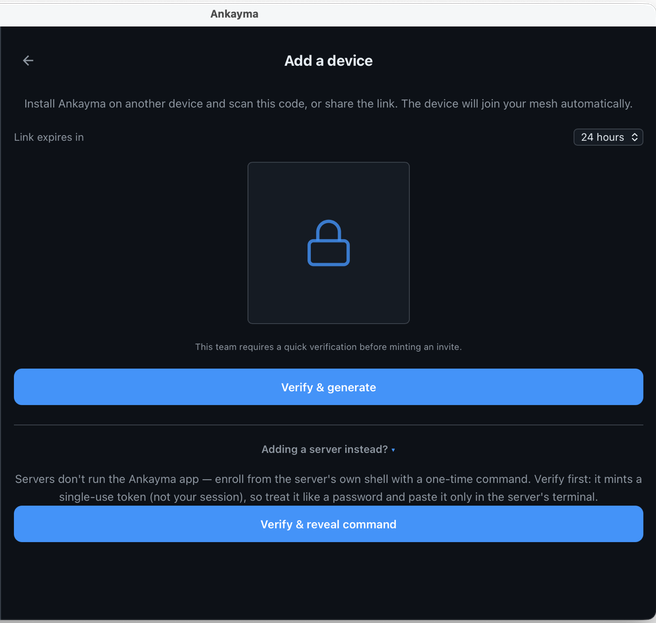
A server joins with a single-use node token, not your account.
- Mint — app → Add a device → Adding a server instead?
→ Verify & reveal command. Copy the
<TOKEN>out of the line it shows. - Install — put it in front of your platform's command below:
ANKAYMA_JOIN_TOKEN=<token> curl -fsSL … | sudo sh
Upgrades need no token. Every command verifies a SHA-256 manifest and its Cosign signature first, and stops if either fails.
curl -fsSL https://get.ankayma.com/install.sh | sudo sh
curl -fsSL https://get.ankayma.com/macos-headless/install.sh | sudo sh
irm https://get.ankayma.com/windows-headless/install.ps1 | iex
ankayma/open-client
The mesh agent, CLI, and this app are open source. Read every line that runs on your infrastructure.
View on GitHub →Verify your download
The Windows, Linux and Android builds ship a Cosign signature over their checksums, plus a build-provenance attestation on Sigstore's public transparency log — so you can prove the file came from our build, not a tampered mirror. (macOS is Apple-notarized instead.) Optional, but it's your machine.
# Authenticity — checksum manifest signed with the key committed in git
cosign verify-blob --insecure-ignore-tlog \
  --key cosign.pub --signature SHA256SUMS.sig SHA256SUMS
# Integrity — the file matches the signed manifest
sha256sum -c SHA256SUMS          # (Windows/macOS: shasum -a 256 -c)
# Strongest — build provenance on the transparency log (no keys to trust)
gh attestation verify <file> -R ankayma/open-client
macOS .dmg is also Apple-notarized. The Linux install.sh runs the Cosign check for you automatically.